 Meetzy Super Admin
7. Communication Management Module
1. Contact Inquiries List View
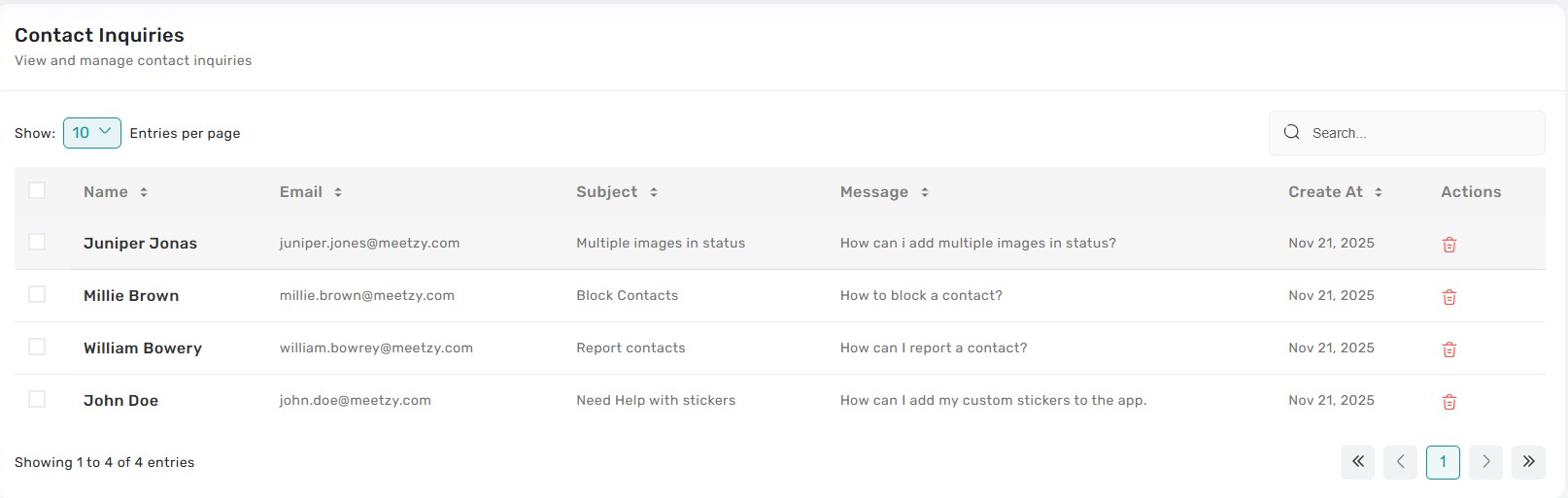
The Contact Inquiries table captures every message submitted through Meetzy’s public contact forms, showing requester name, email, subject, priority, status, and received date. Clicking a row opens a drawer with the full message body, attachments, and interaction history so Super Admins can respond or escalate without leaving the list.
2. Contact Inquiry Actions
-
Assign: Drop-down to route the inquiry to a specific admin or team; assignment updates instantly and logs the change.
-
Respond: Opens a reply panel where admins can send templated or freeform responses; sent messages log under the conversation thread.
-
Resolve / Reopen: Status buttons trigger a confirmation modal and, once confirmed, move the inquiry to the appropriate queue with toast feedback. Bulk status updates are supported for triaging multiple tickets at once.
3. Email Configuration View
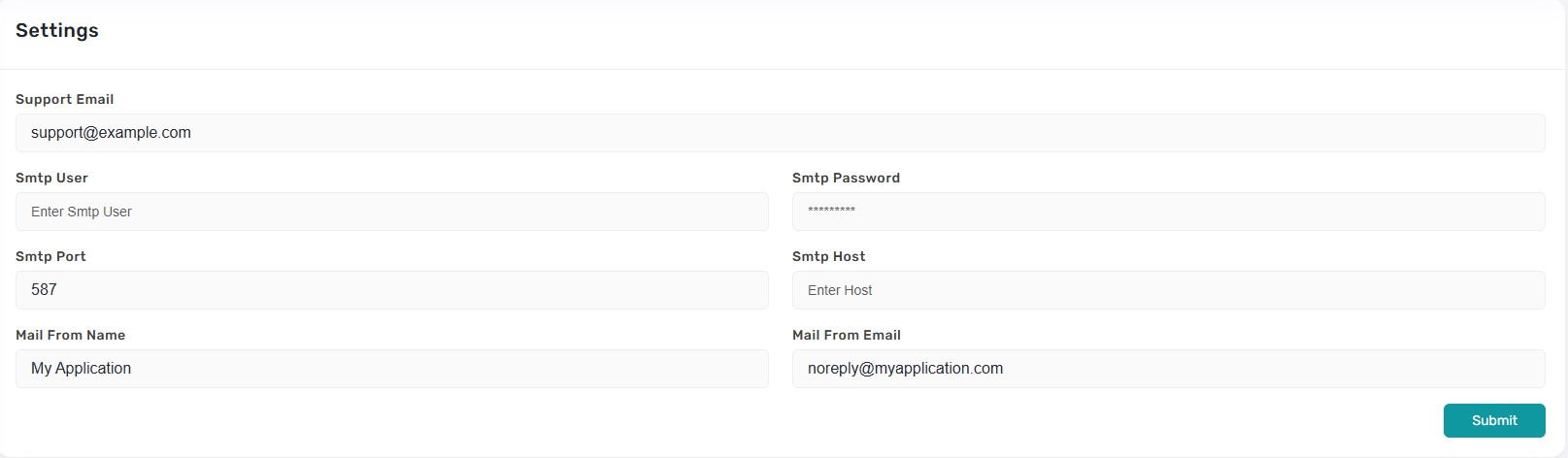
A dedicated settings page presented as a form showing SMTP host, port, username, password (masked), support/from addresses, and display names. Fields are pre-populated from current settings fetched via the API so admins see the latest configuration.
4. Update Email Settings
Admins can edit the SMTP credentials, mail-from names, and support address, then click “Save” to submit. Changes trigger validation and, on success, display a toast confirming the updated configuration. The form prevents accidental submission by requiring confirmation when sensitive fields (password/host) change.
Key Points
-
- Contact inquiry actions (assign, respond, resolve) all require confirmation and log activity for auditing.
-
- Every email configuration change is validated and persists via the settings API, with toaster feedback.
-
- Inquiry drawers expose full context—message, attachments, history—so responses are informed.
-
- Bulk actions in the inquiry table help process high volumes quickly.
-
- Sensitive email settings (password) are masked by default and only updated when explicitly changed.
What's Next?
Let’s get started — your team’s new home is Meetzy Chat!


