 Meetzy Super
Admin
Meetzy Super
Admin
2. User Management Module
1. All Users
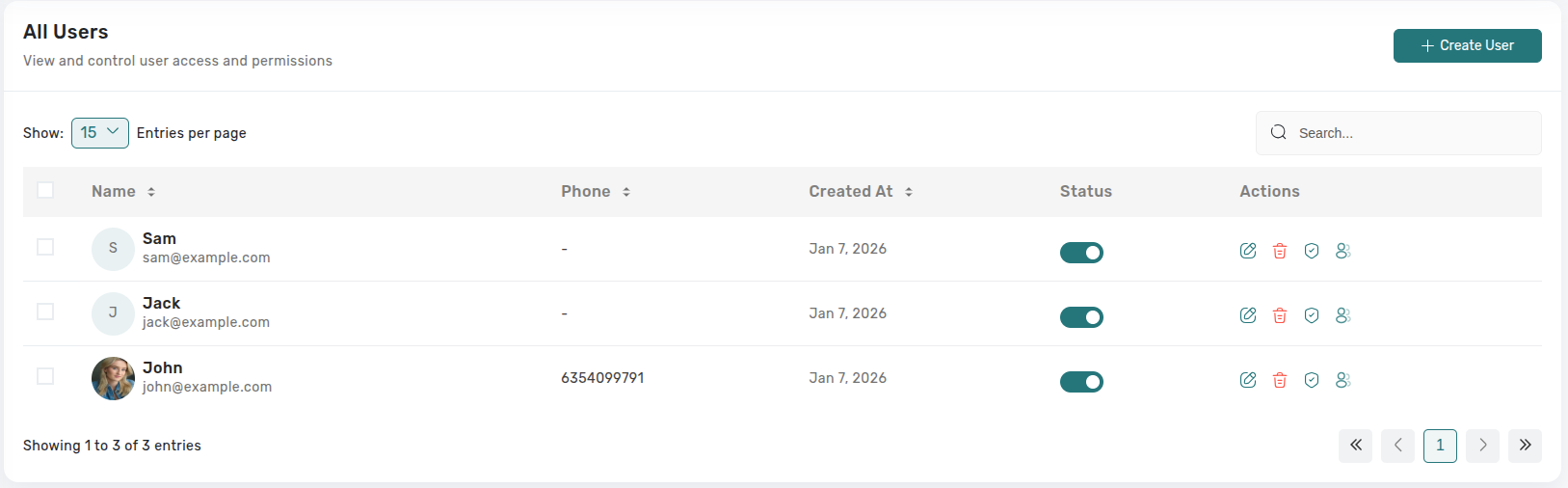
The All Users page allows administrators to view and manage
all registered users in the chat application. Admins can
create, edit, delete, verify users, control their active
status, and impersonate users when required. This ensures
secure and efficient user administration.
2. All Groups
-
Status Toggle: Clicking the active/inactive switch opens a confirmation prompt; once confirmed, access changes immediately and a toast confirms success.
-
Edit: Routes to the user form where admins can update names, phone numbers, roles, feature flags, and avatar (email remains read-only). Saving writes changes instantly and returns to the table.
-
Delete: Presents a destructive dialog explaining the account will be permanently removed; multi-select enables bulk deletion with a summary step before execution.
3. All Groups List View
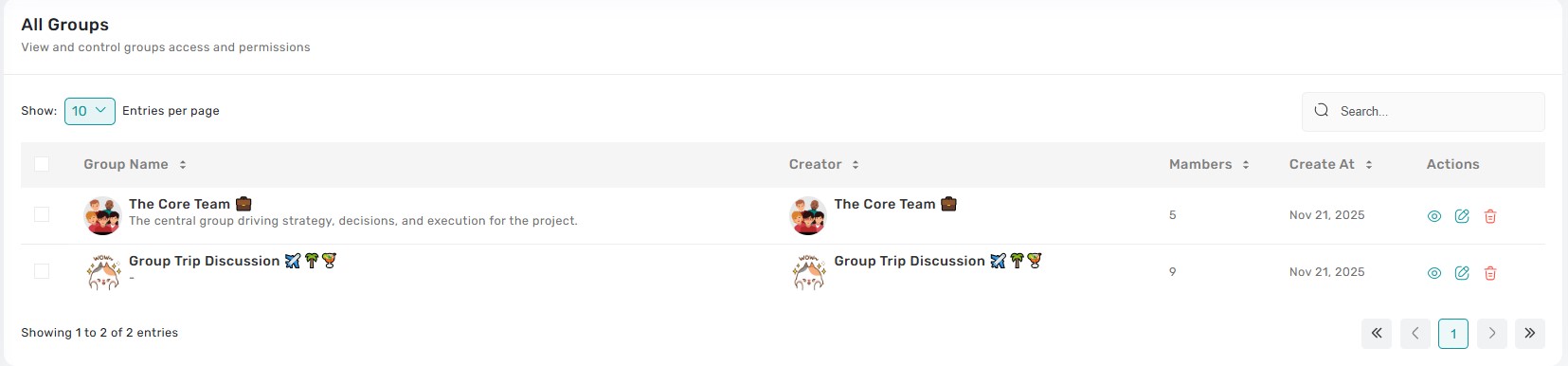
Displays every user-created group with columns for group name, owner, member count, visibility, and creation date. Clicking the row opens a group drawer showing description, pinned announcements, and moderation flags, plus shortcuts to view members or jump to chat logs.
4. All Groups – Management Actions
-
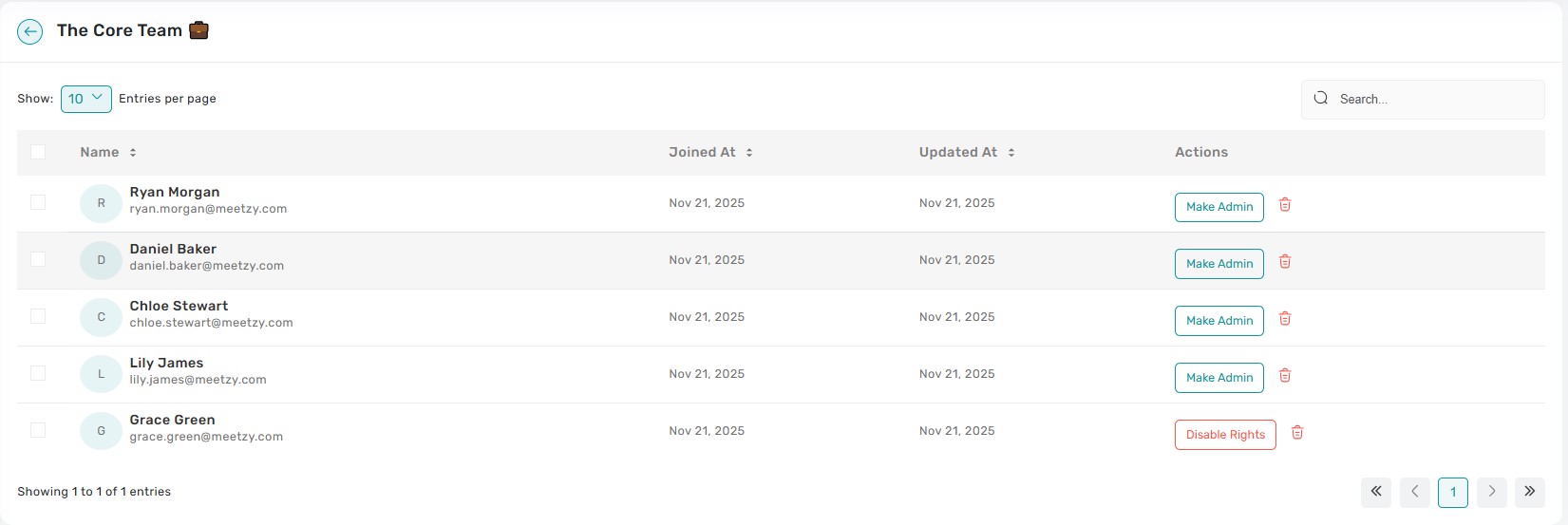
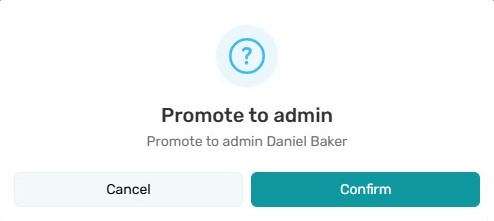
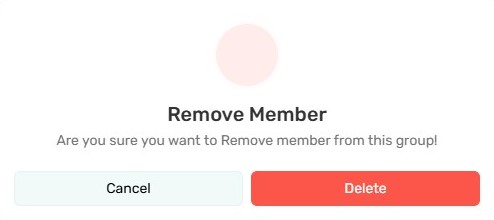
View Members: Opens a modal listing members with email, avatar, and admin badge. From here admins can promote/demote, edit member info, or remove them; confirmations ensure intentional changes.
-
Reassign Owner: Offers a searchable dropdown to transfer ownership instantly, logging the change in the audit trail.
-
Archive/Delete: Archive makes the group read-only; Delete removes it permanently—both guarded by confirmation dialogs and success toasts.
5. Reported Accounts Queue
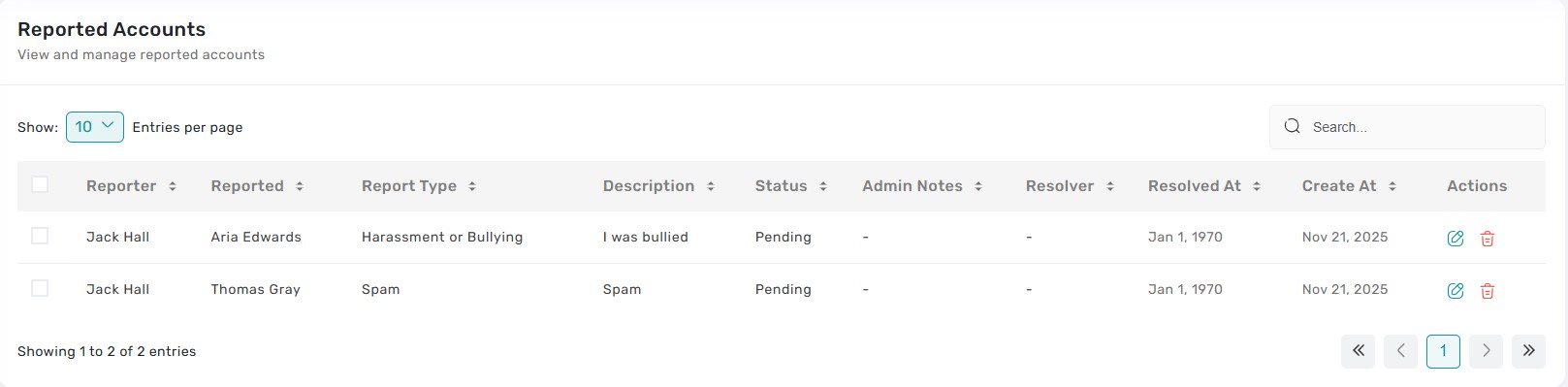
A dedicated moderation table showing reported user, allegation type, reporter comments, evidence attachments, and case status (Pending, Resolved, Escalated). Clicking a row opens the investigation drawer with conversation history, prior strikes, and quick action buttons.
6. Reported Accounts – Case Actions
-
- Suspend: Immediately revokes access for a configurable duration and records the reason.
-
- Warn: Sends a templated warning message, logs it to the user’s history, and updates the case status.
-
- Dismiss: Closes the report with notes explaining the decision, removing it from the active queue. Every action displays a toast and updates the status badge in real time.
7. Verification Requests Overview
Overview:
The Verification Requests module enables administrators to manage user verification requests by reviewing documents, validating payments, and approving or rejecting requests from multiple sources.
- Verification Sources:
-
Verification requests can originate from the following sources:
- User Paid: Verification requested through direct user payment
-
- Subscription: Verification included with subscription plan purchases
-
- Admin Granted: Verification directly granted by super administrators
- Verification Categories:
-
Requests are classified into:
- Individual: Personal identity verification
-
- Business: Company or organization verification
-
- Creator: Creator or influencer verification
- Request Statuses:
-
Each request progresses through defined statuses:
- Pending: Awaiting administrative review
-
- Approved: Verification approved and applied to the user
-
- Rejected: Verification rejected with a provided reason
-
- Payment Failed: Payment process unsuccessful
8. Verification Management & Actions
- Verification Requests Table:
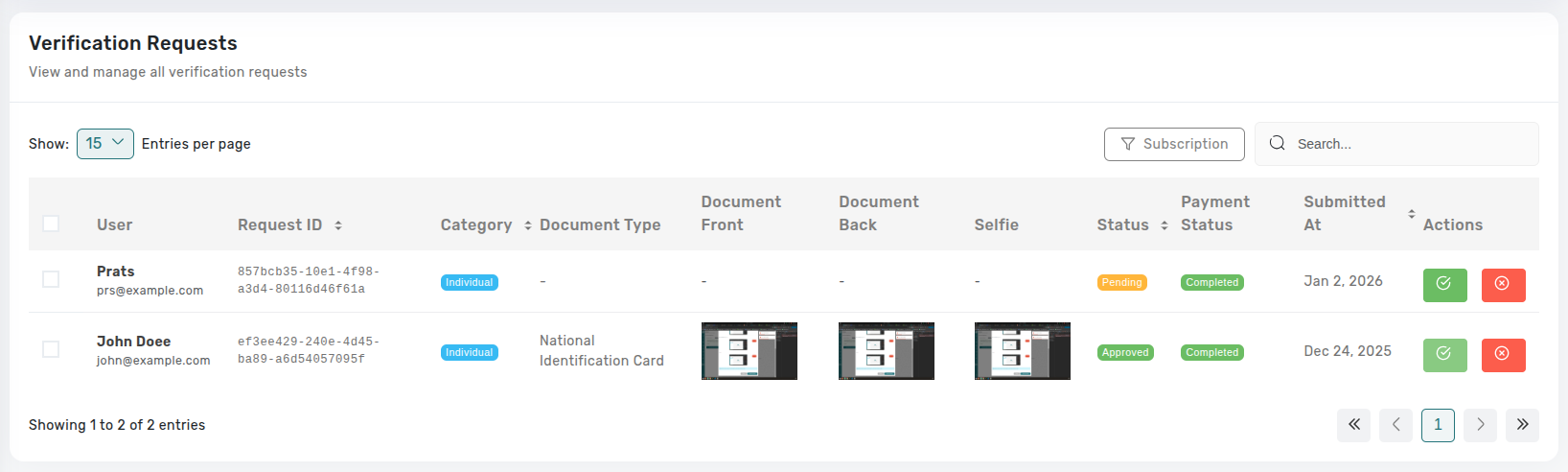
A paginated table with search and sorting that displays:
-
- User information and Request ID
- Verification category and document type
-
- Document images (front, back, selfie)
-
- Verification status and payment status
-
- Submission date
- Filtering & Search:
Administrators can refine results using:
-
- Source Filter: User Paid, Subscription, or Admin Granted
-
- Status Filter: Pending, Approved, Rejected, Payment Failed
-
- Search: User name, email, request ID, document type, or category
- Administrative Actions:
Available actions depend on request status:
-
Approve Request:
- Available for pending requests
- Validates payment (if applicable)
- Updates user verification status
- Activates subscription when applicable
- Records reviewer and timestamp
- Requires super_admin role
-
Reject Request:
- Available for pending requests
- Mandatory rejection reason
- Optional admin notes
- Records reviewer and timestamp
- Requires super_admin role
-
Delete Request:
- Supports bulk deletion
- Permanently removes requests
- Requires super_admin role
Key Points
-
- Clickable thumbnails for front, back, and selfie documents
-
- Full-size images open in a new tab
-
- Document type displayed when available
What's Next?
Let’s get started — your team’s new home is Meetzy Chat!
