 Meetzy Super Admin
4. Faq Management Module
1. FAQs List View
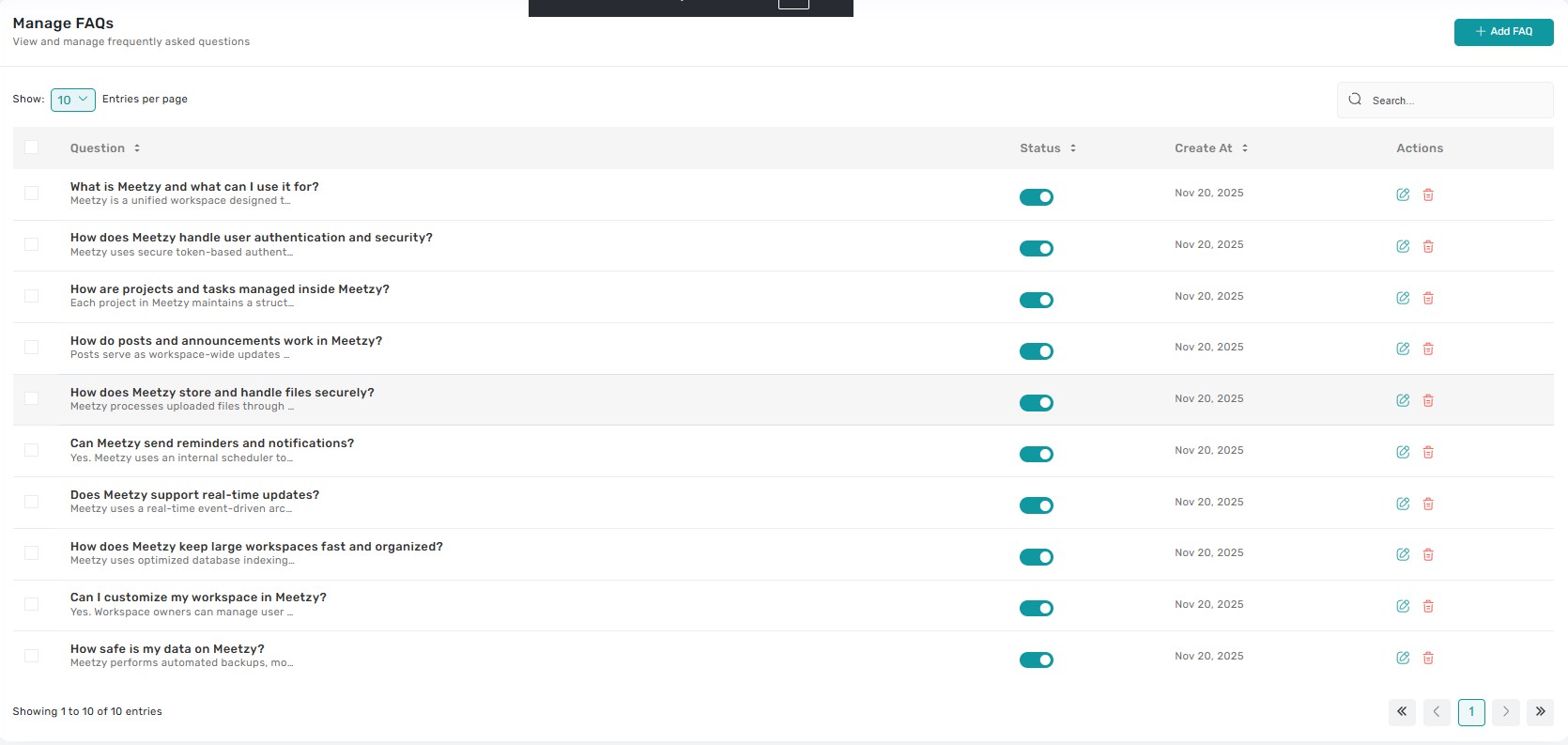
The FAQs table lists every knowledge-base entry with columns for question title, category, visibility status, created date, and quick actions. Clicking anywhere on a row opens a preview drawer showing the full answer text, tags, and linked pages so admins can verify context before updating
2. FAQ Status & Priority Controls
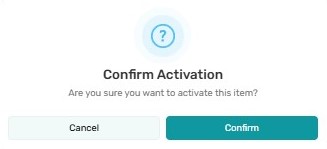
Each entry exposes a status badge (Draft, Published, Archived) and priority chip. Tapping the badge opens a confirmation modal outlining how visibility will change; adjusting priority reorders the FAQ within its category and immediately reflects in the front-end. Bulk updates are available when multiple rows are selected.

3. Edit FAQ Entry
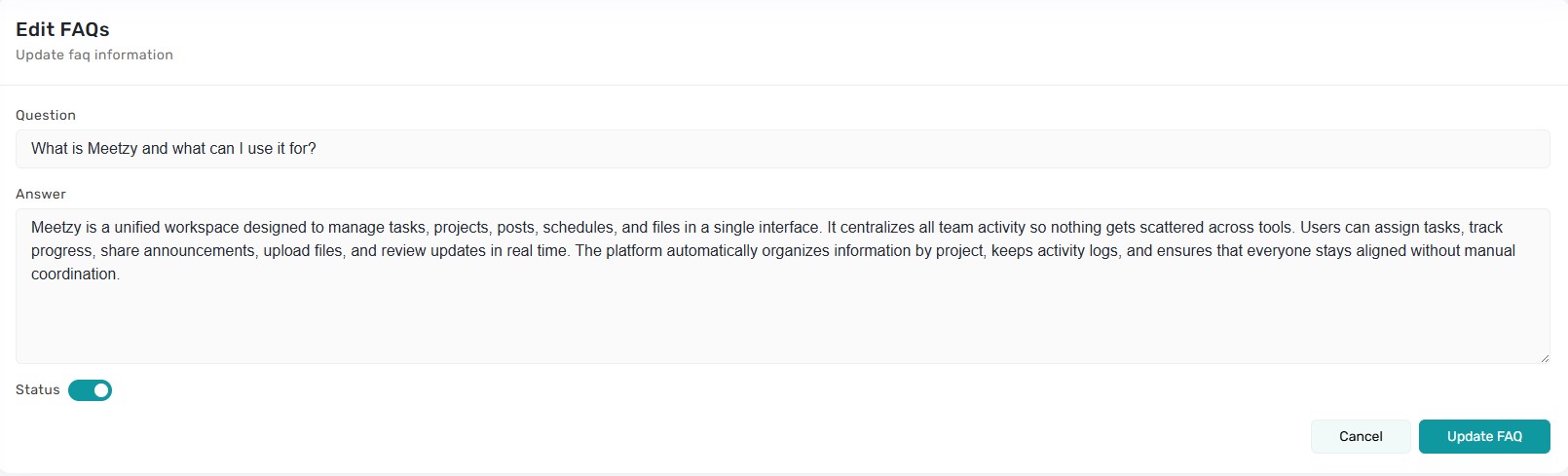
3. Edit FAQ Entry The Edit icon routes to the FAQ form where Super Admins can modify the question, rich-text answer, category, tags, and visibility schedule. Auto-save keeps drafts safe, and publishing pushes changes live as soon as the form is submitted.
4. Add FAQ
The “Add FAQ” button launches a fresh form pre-populated with default category and status. Admins can add attachments, embed links, and define locale-specific answers before publishing or saving as draft.

5. Delete / Archive FAQ
Choosing Delete triggers a guarded dialog explaining whether the FAQ will be archived (soft delete) or removed entirely. Confirmation is required, and a toast notification confirms the result. Archived entries can be restored later from the backend if needed.
6. Bulk Actions & Filters
Multi-select checkboxes make it easy to change status, category, or priority for multiple FAQs at once. Filters above the table let admins narrow by category, keyword, status, or tag, ensuring quick navigation through large knowledge bases.
Key Points
-
- Every status change, publish, or delete requires explicit confirmation and surfaces a toast notification.
-
- Draft FAQs remain invisible until published, but can be previewed via the row drawer.
-
- Priority chips determine the ordering on the public FAQ page and update immediately.
-
- The preview drawer provides fast QA without leaving the list view.
-
- Bulk actions respect the selected rows and summarize changes before execution.
What's Next?
Let’s get started — your team’s new home is Meetzy Chat!

