 Meetzy Super
Admin
Meetzy Super
Admin
8. System Settings Module
1. General Settings (Usage Control & Options)
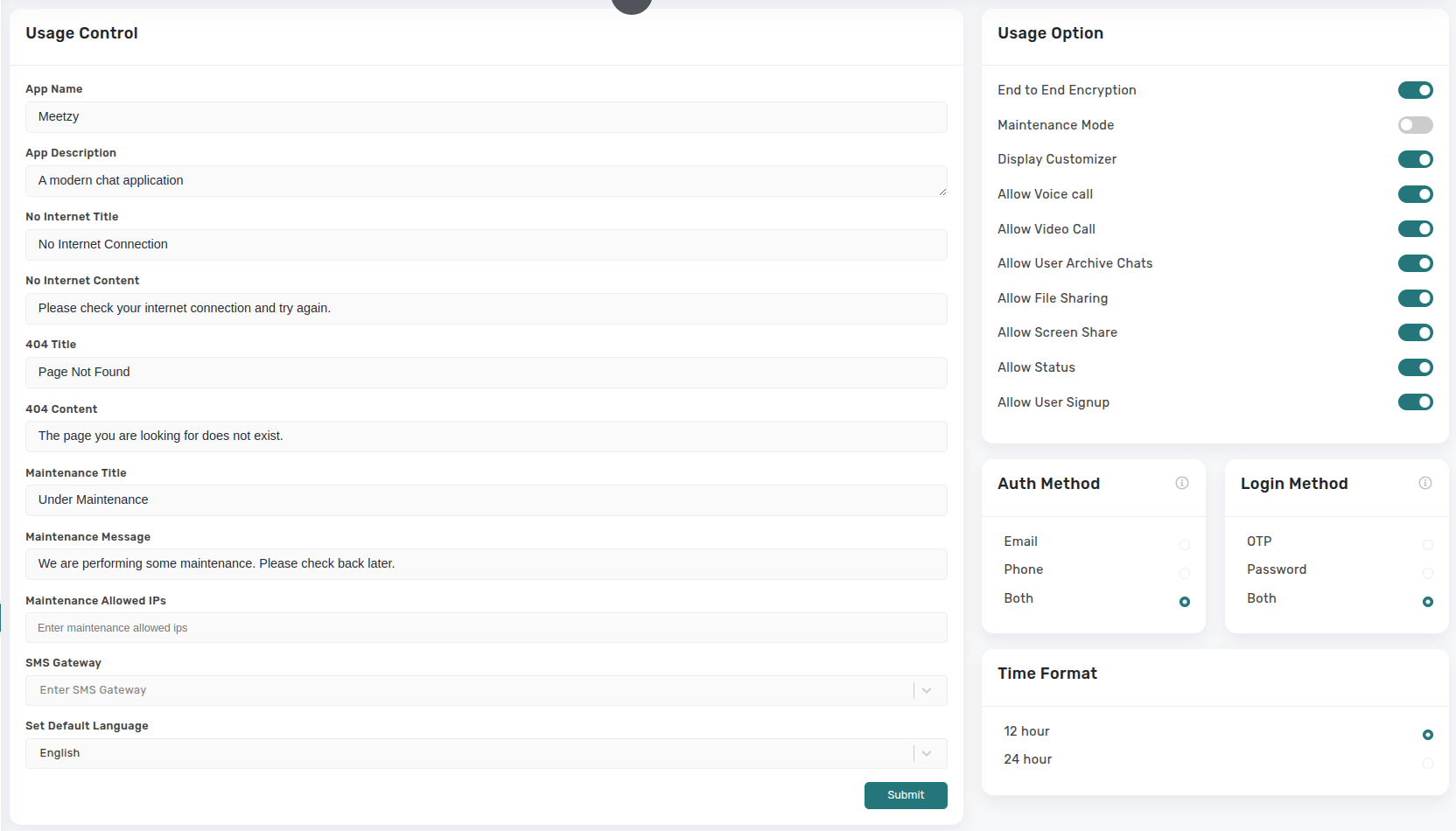
The General Settings page combines branding/content controls with operational toggles. A two-column layout shows a form for text fields (app name, descriptions, offline/maintenance copy, allowed IPs) and a switchboard for feature flags (maintenance mode, customizer visibility, audio/video calls, archive/media permissions).
2. Logo and Svg Color
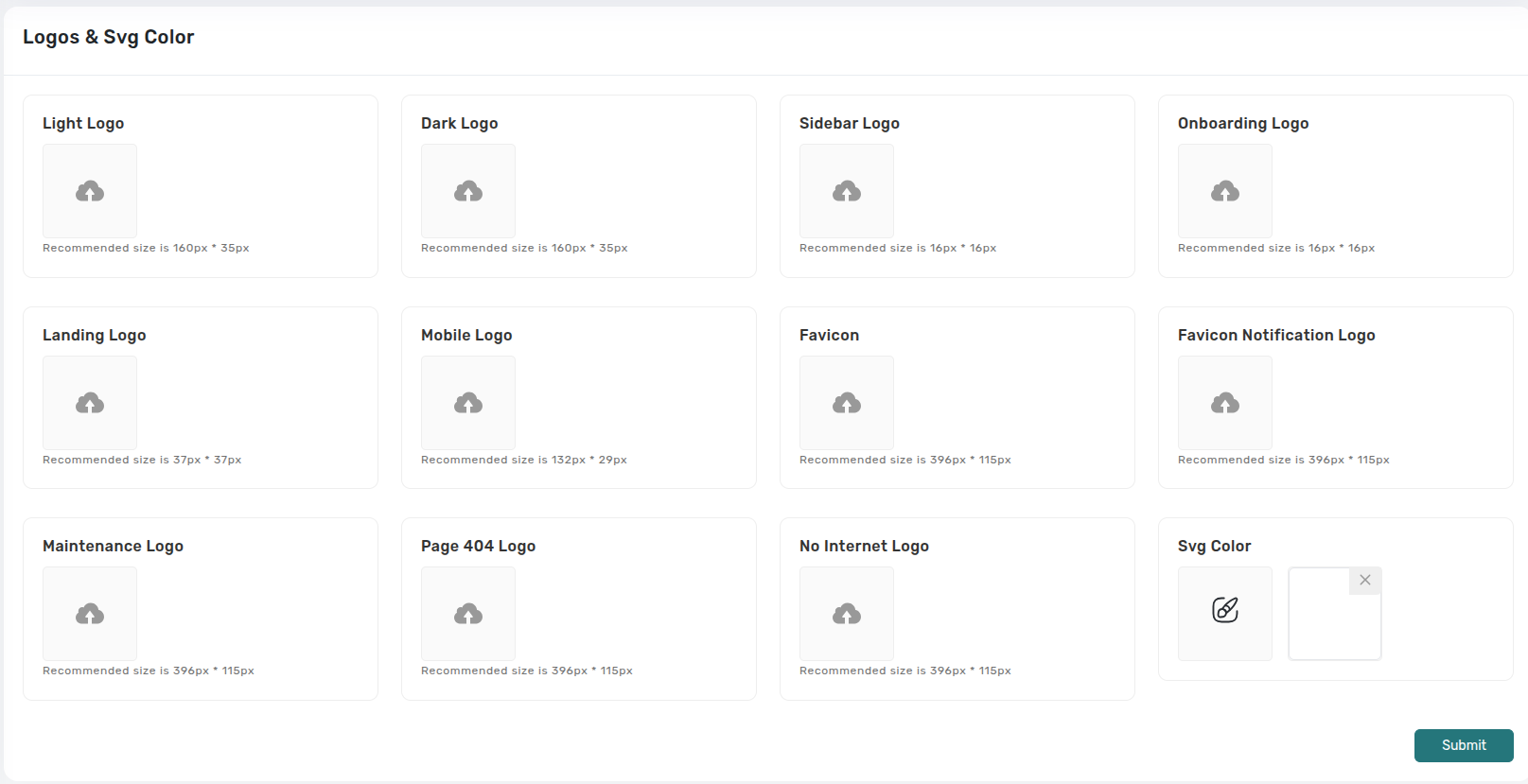
A media-management form where Super Admins upload and manage logos, favicons, onboarding/landing art, and fallback illustrations. Each input displays recommended dimensions and current previews for light/dark variants.
-
- Logo & Icon Uploads: Selecting a file updates the preview; submitting writes the new assets to storage and refreshes the entire admin interface via Redux.
-
- Maintenance/404/No-Internet Images: Ensures consistent imagery during outages or errors, with immediate feedback once saved.
Application Settings:
3. Media & Chat Settings
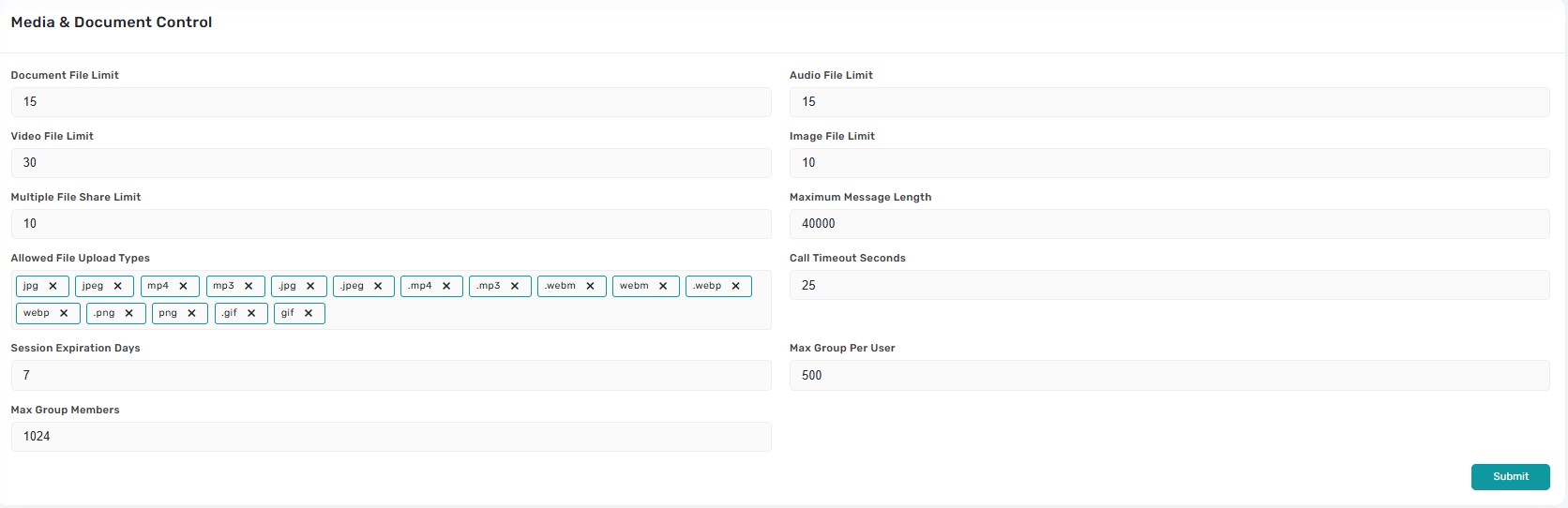
A configuration panel for platform limits and messaging policies. Fields include file-size caps for documents/audio/video/image, multiple file share limits, maximum message length, allowed MIME types (TagInput), call timeout, session expiration, and group/member limits
-
- Form Behavior:Each input validates numeric ranges and string lists; saving serializes arrays (e.g., allowed uploads) and confirms success via toaster.
-
- Operational Impact:Adjustments take effect immediately, governing client-side validation and backend enforcement for uploads, calls, and group creation.
4. Report Settings
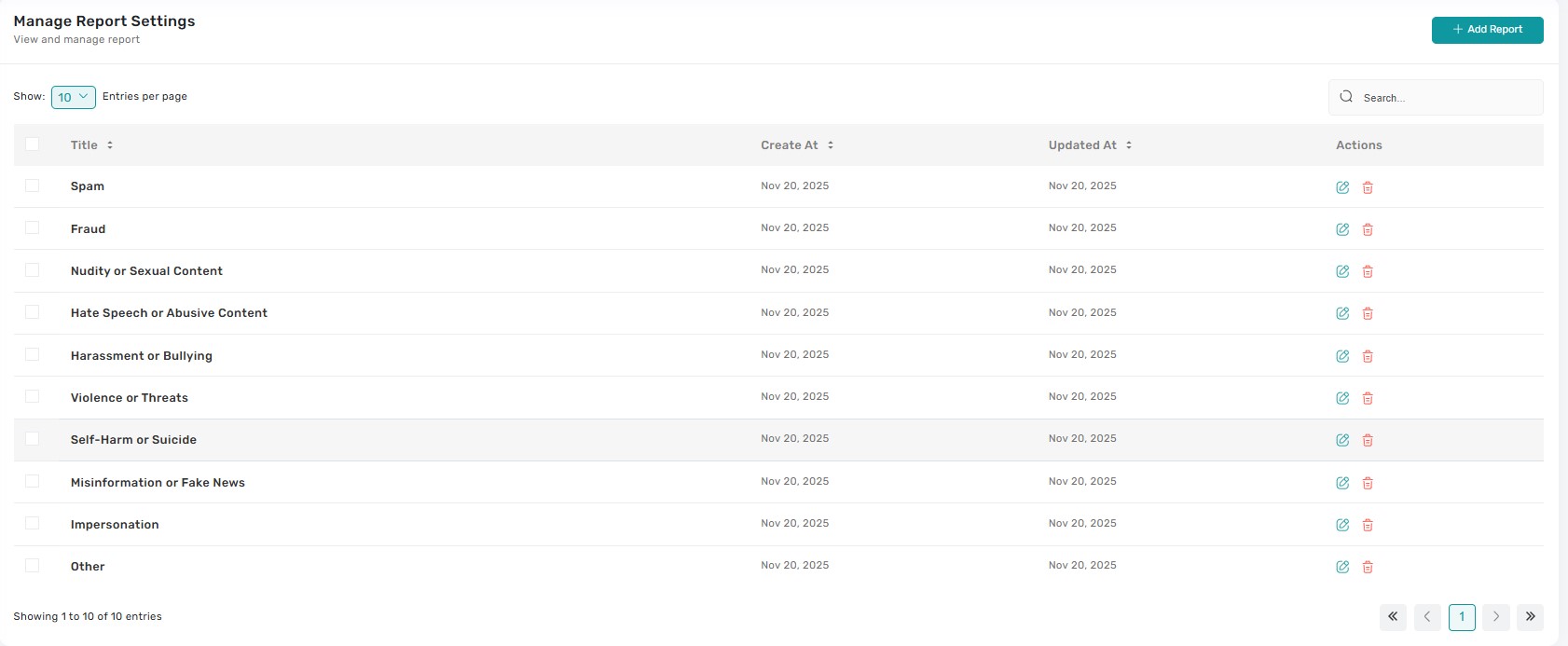
Table-based interface listing every report reason with columns for title, category, creation date, and actions. Clicking a row opens a drawer showing the reason description and any automated escalation rules.
-
- Add/Edit Report Reason: Forms allow admins to define the reason title, description, severity, and escalation target (auto-suspend, auto-mute, notify team). Saving updates the end-user reporting menu instantly.
-
- Delete/Archive: Guarded dialogs clarify whether the reason is removed from the user-facing list or archived for later reuse; confirmations are required and toasts confirm completion.
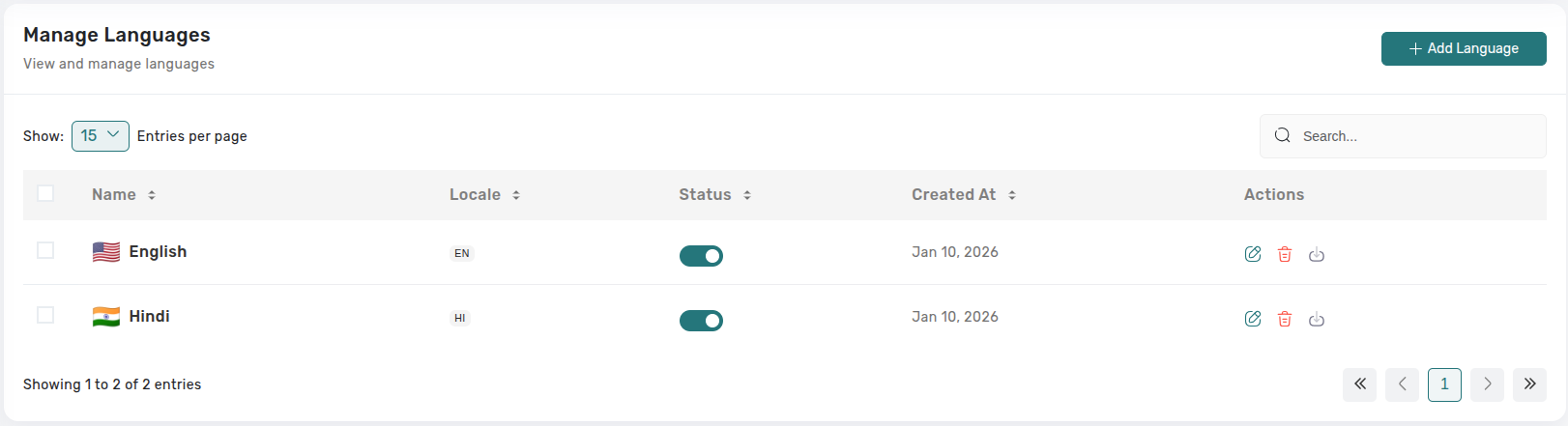
5. Manage Languages:
The Manage Languages page allows administrators to configure and control the available languages in the chat application. Admins can add new languages, enable or disable existing ones using toggle switches, and manage language settings including locale codes and creation dates. This centralized interface provides full control over the multilingual capabilities of the platform, ensuring users can communicate in their preferred languages.
Key Points
-
- Every form submission triggers validation, confirmation (when needed), and a toast notification so admins know changes succeeded.
-
- Sensitive switches (maintenance mode, media blocking) demand explicit confirmation before applying.
-
- Asset uploads in Frontend Settings immediately refresh previews so admins can verify results.
-
- Media & Chat constraints update both client behavior and backend enforcement to keep experience consistent.
-
- Report Settings ensures the reporting experience stays synchronized with policy changes, with easy creation/editing of reasons.
What's Next?
Let’s get started — your team’s new home is Meetzy Chat!


