 Meetzy Super
Admin
Meetzy Super
Admin
8. Sponsor Module
Overview
Sponsored Status allows super administrators to publish
promotional status updates that appear prominently in all
users’ status feeds. These statuses are marked as sponsored
and are visible to everyone without user control.
1. Core Characteristics
-
- Created only by super admins
-
- Marked internally as sponsored: true
-
- Displayed in the status slider alongside regular user statuses
-
- Labeled clearly as Sponsor
-
- Cannot be muted or hidden by users
Features
-
- Supports text, image, or video content
-
- Optional caption support
-
- Automatic expiration based on system settings (default: 24 hours)
-
- Visible to all users regardless of privacy settings
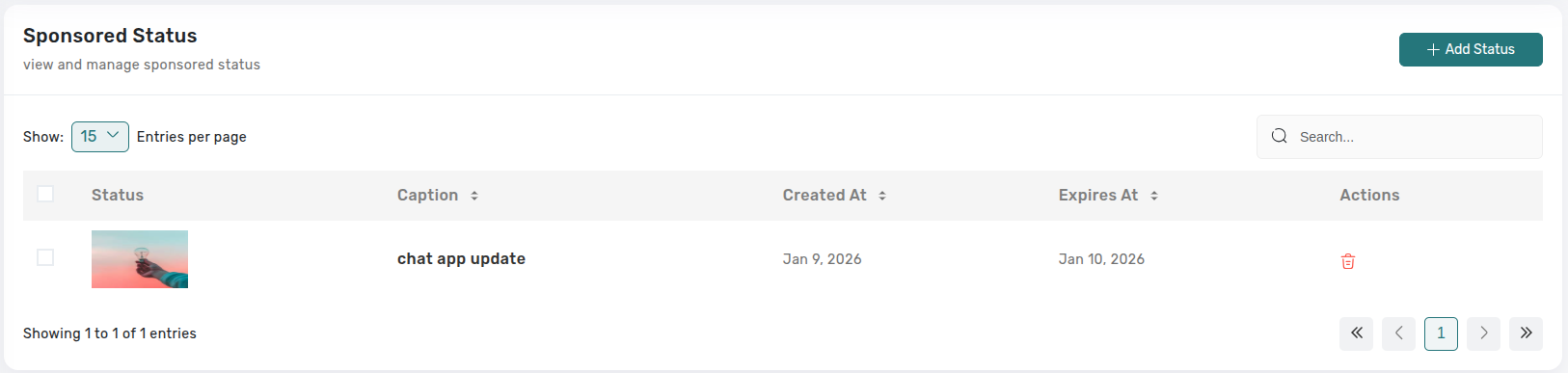
Admin Management
-
- View all sponsored statuses in a paginated table
-
- Preview status media (image/video) and captions
-
- Track creation and expiration dates
-
- Delete individual sponsored statuses
-
- Perform bulk deletion when required
-
- Monitor active and expired sponsored content
Purpose
Enables monetization and platform-wide promotion through high-visibility sponsored content in the status feed.
9. Announcement Module
Overview
Announcements are system-wide messages broadcast in real
time to all users. They appear as special interactive
messages inside chats and are used for important updates,
onboarding, or promotions.
1. Core Characteristics
-
- Created and managed only by super admins
-
- Delivered instantly to online users using Socket.IO
-
- Stored as chat messages with message_type: announcement
-
- Labeled clearly as Sponsor
-
- Linked to a dedicated announcement record for tracking
Features
-
- Content supports text with optional image or video attachments
-
- Optional title for emphasis
-
- Multiple announcement types:
- get_started – Redirects users to a specific app screen or tab (requires redirect URL)
- learn_more – Opens an external link in a new browser tab (requires action link)
- none – Informational announcement without actions
Frontend Display
-
- Rendered as AnnouncementMessage components inside chat
-
- Displays title, content, and media (if provided)
-
- Shows action buttons based on announcement type
-
- Styled as preview cards for better visibility and engagement
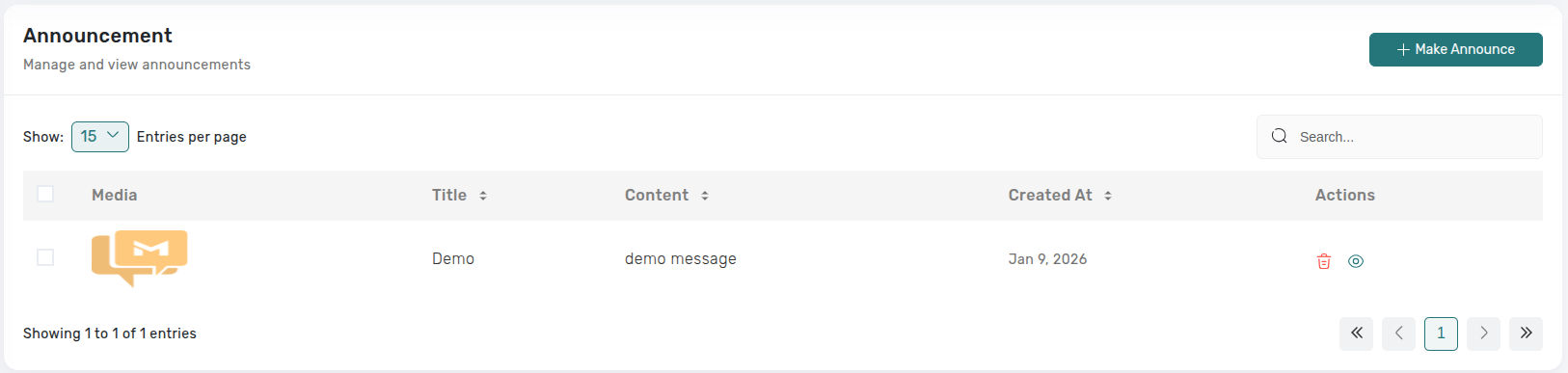
Admin Management
-
- Create announcements with media attachments
-
- Edit existing announcements
-
- Configure announcement type and associated links or redirects
-
- Manage announcement metadata and content lifecycle
Purpose
Facilitates real-time, system-wide communication for updates, promotions, onboarding flows, and external navigation.
Key Points
-
- Sponsored statuses are visible to all users without restriction.
-
- Deletion and removal actions require confirmation to prevent accidental loss.
-
- Expired statuses are handled automatically by the system.
-
- Role-based access ensures only authorized administrators can manage sponsored content.
What's Next?
Let’s get started — your team’s new home is Meetzy Chat!
