 Meetzy Super Admin
5. Chat Wallpapers Module
1. Wallpaper Catalog View
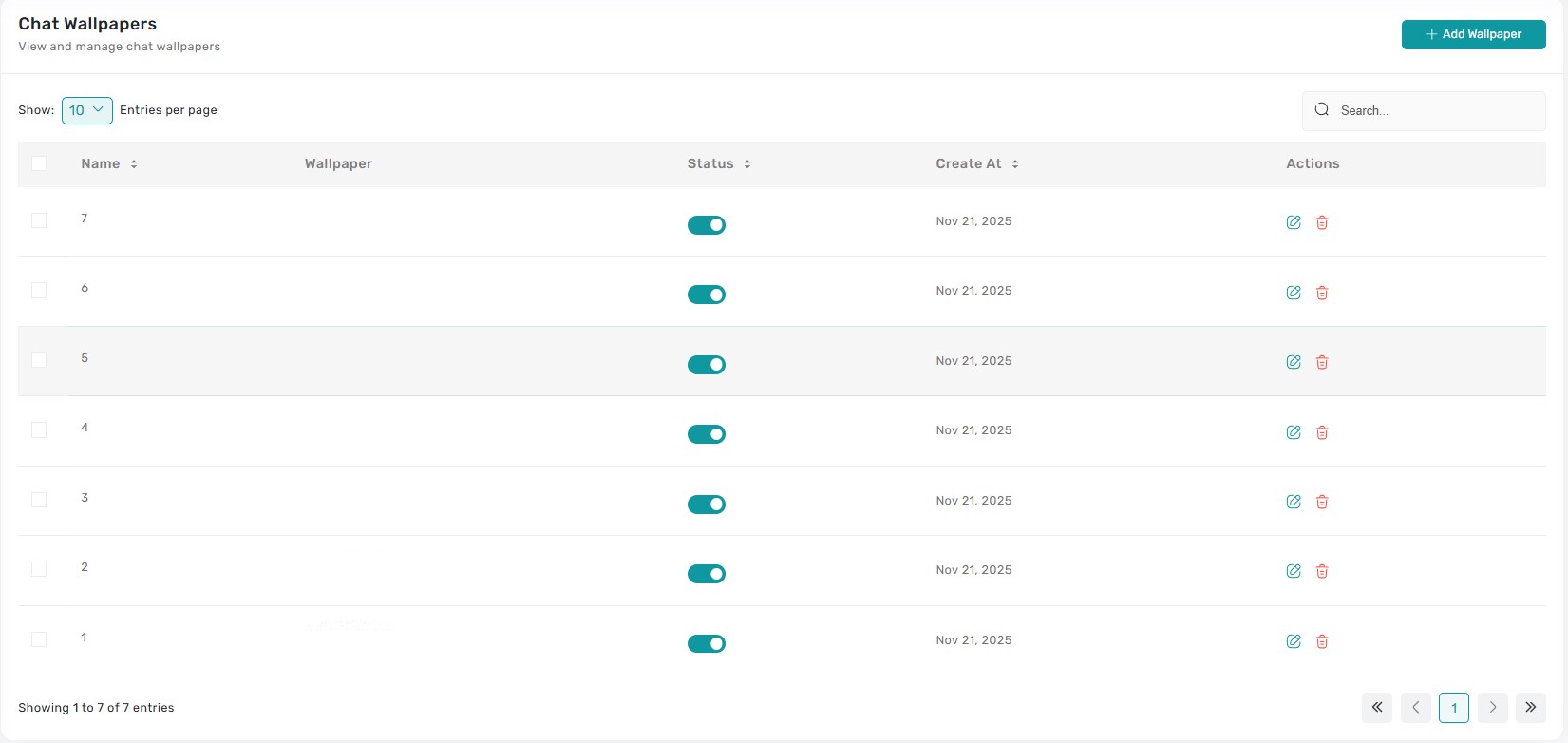
The Chat Wallpapers table catalogs every wallpaper asset with columns for thumbnail preview, title, category, resolution, status, and quick actions. Clicking a row (outside action icons) brings up a preview drawer showing the full image, supported themes (light/dark), and any device-specific notes so admins can validate visual quality before changes.
2. Status & Visibility Controls
Each entry includes a status badge (Draft, Live, Archived). Selecting it opens a confirmation modal that clarifies whether the wallpaper will appear in the end-user picker. Bulk toggles become available when multiple wallpapers are selected, making seasonal rollouts faster.
3. Add / Edit Wallpaper
The “Add Wallpaper” button—and the Edit icon on each row—open the wallpaper form. Admins can upload images, specify recommended resolutions, assign categories (e.g., Abstract, Scenic), and flag availability for light/dark themes. Saving publishes immediately or stores as draft depending on the chosen status.


4. Duplicate Wallpaper
A Duplicate action clones the wallpaper and metadata into a new draft entry, letting admins tweak color variants or rename sets without re-uploading from scratch. The duplicated item inherits tags but gets a “-copy” suffix until edited.
5. Delete / Archive Wallpaper
Choosing Delete launches a confirmation dialog explaining whether the asset will be archived (hidden but recoverable) or permanently removed. Confirmed deletions remove the wallpaper from user selection instantly and surface a toast notification. Admins can perform bulk deletes with multi-select checkboxes.
Key Points
-
- Preview drawer helps QA visual fidelity and theme compatibility without leaving the list.
-
- Every publish, archive, or delete action requires confirmation and produces a toast.
-
- Draft wallpapers stay hidden from users until explicitly published.
-
- Bulk actions accelerate seasonal refreshes or cleanups.
-
- Metadata (resolution, category, theme availability) updates immediately in the catalog once saved.
What's Next?
Let’s get started — your team’s new home is Meetzy Chat!


